
Here's a 3-minute tutorial video showing you how to install your Rx lenses in your XanderGlasses II captioning glasses:
Start with the left lens
Left lens first, then the right lens. Take out the left lens and install it. Then take out the right lens and install it. Never have both out at once. This keeps left and right from getting mixed up.
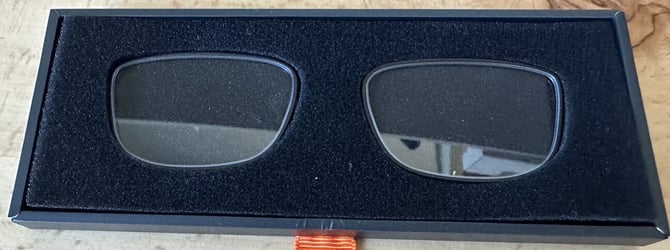
You will need your two Rx lenses and the microfiber cloth from your kit. The lenses arrive in a protective case, one for each eye. Leave the right lens in the case until the left lens is installed.
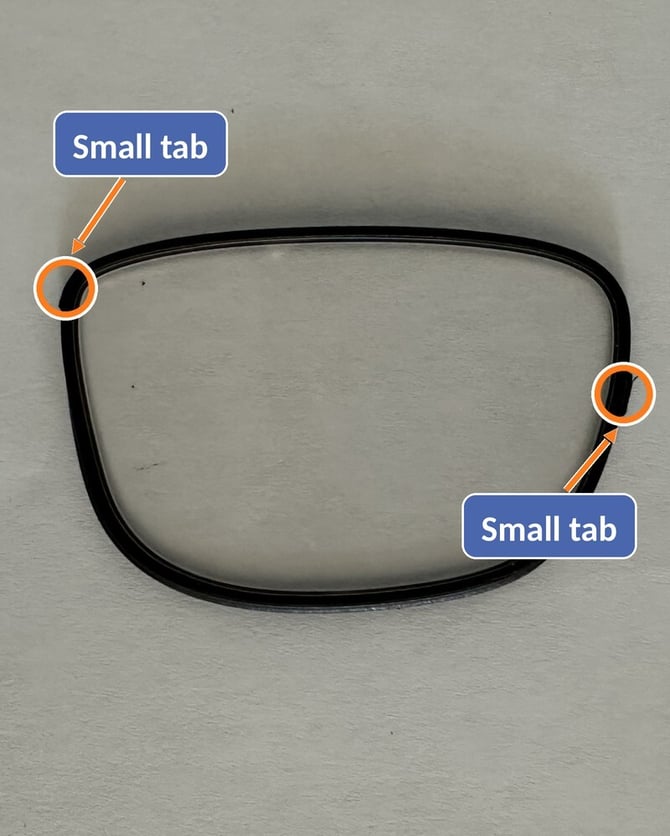
Find the two small tabs. Run a finger along the edge of each lens. You will feel two small raised tabs. Each tab fits one notch in the frame:
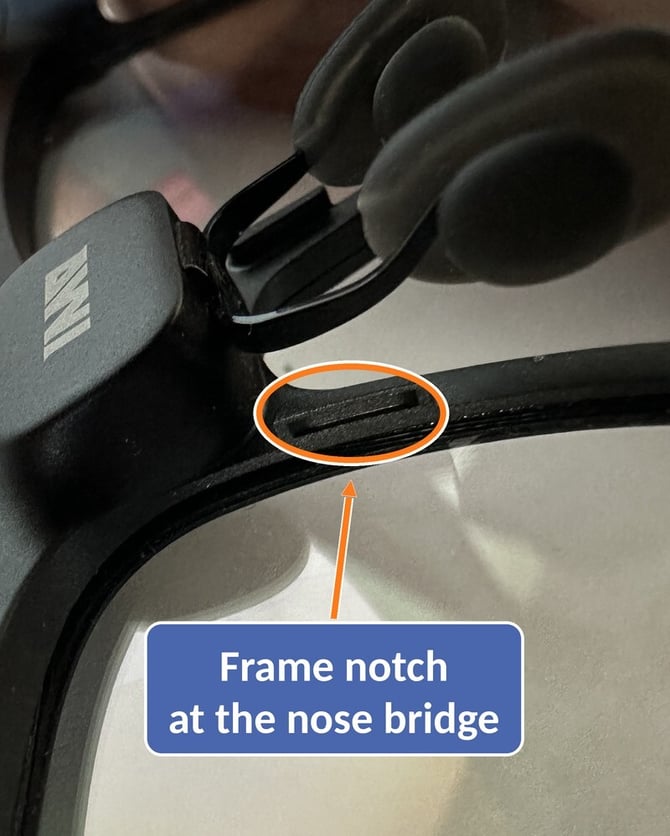
- One tab goes at the nose bridge.
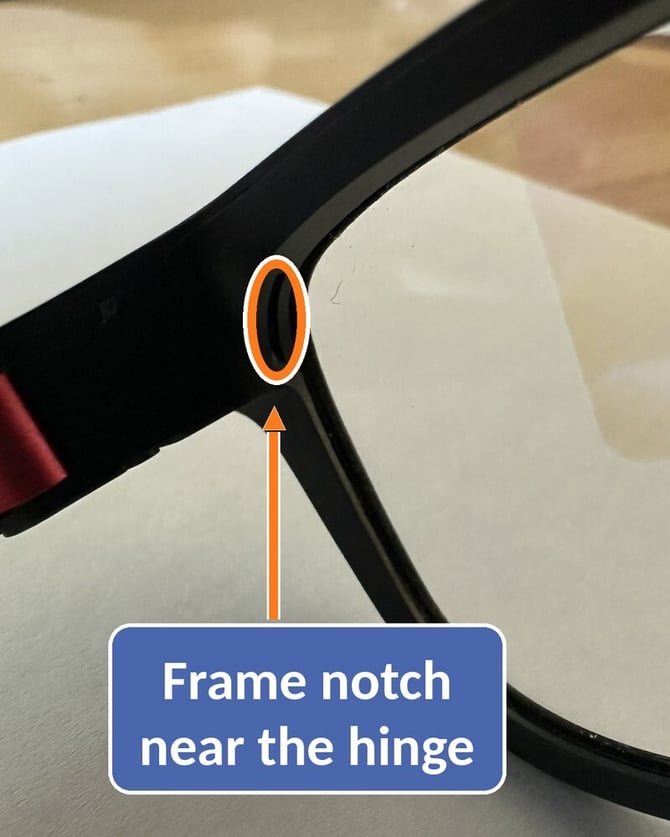
- The other tab goes up into the corner near the hinge.
Install each lens
- Take out the left lens. Leave the right lens in the case until the left lens is installed.
- Clean it with the microfiber cloth before it goes in.
- Check the orientation. Line up the tab on the inner edge with the notch at the nose bridge, and the tab on the outer edge with the notch in the corner near the hinge. Do not change this orientation once you have it.
- Rest the lens in place. Set it gently on top of the frame opening and confirm it looks like the right orientation.
- Push and squeeze. Use the cloth to position the lens, then gently squeeze on the two pressure points: the corner and the nose bridge. Some lenses click into place and some simply settle in, so do not wait for a snap.
- Check the fit. The lens is in when it feels snug and secure. If it is not, squeeze a little more. A very small gap can remain.
- Now do the right lens. Take it out of the case only after the left lens is installed, then repeat steps 2 through 6.
Tips
- Expect some practice. Seating a lens is a little tricky at first. If it pops out of position, set it back and try again.
- Left lens first, then right. This keeps the two lenses from getting mixed up.
- Use the cloth to position the lens. It helps you place the lens before you squeeze.
- Snug matters most. The lens may not click in, and a tiny gap is fine if it feels secure.
- Be patient. It is not easy the first time, but it gets easier.
Need help?
We are happy to install the lenses for you. We send you a prepaid shipping label, you send us the lenses and the glasses, and we install the lenses and send the glasses right back.
To set this up, email support@xander.tech. We aim to respond within 2 business days.